10 Best Digital Wedding Guestbooks: Formats and Trade-offs
The table by the door holds a guestbook with eleven signatures and a stack of cards. Four of them read congratulations and nothing else. Weeks later, the message you remember is the two minute voice note your cousin left on a service nobody explained at the reception, and you still haven't played it.
What guests wanted to say and what you kept are two different things, and format decides the gap. A paper book collects whoever passes a pen. A browser link collects the guest in another country at midnight.
Most roundups of the best digital wedding guestbooks rank features. This one groups ten services by how guests contribute, meaning written text, recorded audio, phone video or a live screen at the venue, then tracks what survives the last dance: download formats, how long the gallery stays open, and whether you pay per event or every month.
Some formats lose elements by design. An audio line can't hold a photo of your grandmother dancing. A photo album can't capture the crack in your father's voice during his toast. Pick the format your guest list will use, then read the exit terms before you pay.
Table of Contents
- 1. Wedding Studio
- 2. Wedibox
- 3. GuestCam
- 4. GUESTPIX
- 5. Kululu
- 6. Fotify
- 7. Guestbook.tv
- 8. Digital Guestbook
- 9. EventShare
- 10. LifeOnRecord
- 11. After The Tone Virtual Guestbook
- How the ten digital guestbook services differ on message formats, listed pricing, and best-fit use
- Choosing the Format That Fits Your Guest List
1. Wedding Studio
A guestbook is judged the morning after. Wedding Studio builds around that morning: a QR-powered shared album guests open in a browser, with no app, no login and no group chat to excavate afterwards.
The physical side gets as much attention as the software, which is rarer than it should be.
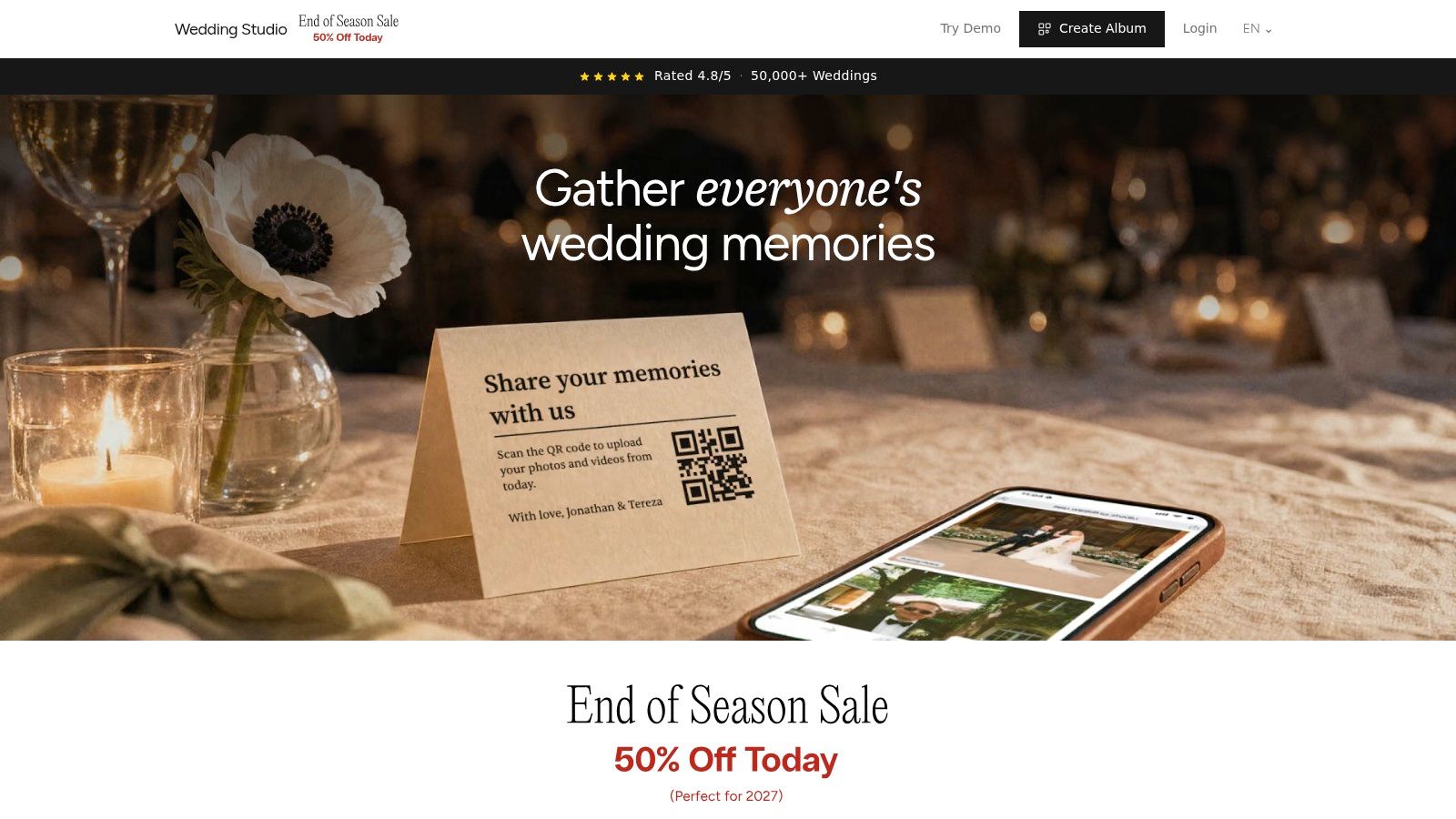
Couples create a branded album with names, date and a cover image, then place QR table cards. Cards ship worldwide, and free Canva templates cover anyone printing locally. Guests scan, tap and upload from whatever phone is in their pocket.
What Holds Up With a Real Guest List
- Twelve months of collection: the album stays live through pre-events, the wedding and the honeymoon, so late uploads land with everything else instead of in a chat thread.
- Unlimited uploads at full resolution: files aren't compressed on arrival, which is the difference between a photobook and a set of soft thumbnails.
- Privacy settings that differ: uploads can be shared among guests or visible only to the couple, and that choice matters when children are on the dance floor.
- Clean exit: content downloads one file at a time or as a single zip, and favourite frames can go into a premium photobook.
Guestbooks began as Victorian social records, documenting aristocratic attendance by name and title before spreading into addresses, congratulations and advice that later helped couples write thank-you notes. Digital formats extend that into a searchable archive of messages, photographs, video and audio, as traced in this history of the digital wedding guestbook.
The limit is audio. Wedding Studio collects photos and video, not recorded voices, so a couple who wants toasts and marriage advice in sound needs a second service or a compromise. Pricing is one-time and tiered by guest count, with add-ons for extra albums, printed cards and the photobook, plus a satisfaction guarantee. Treat it as a digital wedding guestbook that ends in a printed object, not a folder you'll forget the password to.
2. Wedibox
A table card gets scanned before the starters are cleared, and the guest is already inside: no app, no account, just the event page. That low-friction join is Wedibox's strongest argument for a room where phones vary in age and patience.
Wedibox bundles the guestbook with photo and video uploads, a wedding website and a live slideshow, so text, clips and a screen loop can run from the same setup. Written notes and voice messages sit behind the paid plans, while the All-In-One tier folds in RSVP, seating and registry links for couples who want the guest list managed in the same place.
- Best contribution mix: photos and video are the default; add paid tiers if you want notes or spoken messages rather than a silent gallery.
- Reception payoff: the slideshow gives shy guests a reason to upload early, because a photo taken at cocktail hour can be on the screen before dinner ends.
- One decision at checkout: upload and storage periods vary by plan, so record the access window and how files come out before the date, not after.
The compromise is overlap. Couples who already have a wedding website may pay twice for the same function, and the planning tools can sit unused once the day is set. Treat Wedibox as the live, all-format middle ground: less archival than a print-first book, more public during the party than a quiet upload folder. If guest clips are headed for a highlight edit, pull prompts from these wedding video ideas before you write the QR card. Build the event on Wedibox's event platform.
3. GuestCam
GuestCam lists Standard at $49 and Premium at $97 as one-time per-event plans, and for that money it removes the hardware that audio guestbooks depend on. Guests reach a private gallery through a QR code or link, then leave photos, videos or voice messages from a browser.
- Three formats in one gallery: candid photos, clips and spoken messages arrive together instead of in separate tabs.
- Nothing to ship or return: no handset to charge, shelter from rain or post back on Monday.
- Premium extras: a dial-in phone number and additional main galleries, which helps when a wedding spans a welcome dinner and a brunch.
The trade is tactile. Some guests freeze in front of a browser recorder and give you ten seconds of nothing, while a novelty receiver gets them talking. Reviews published on the company's own site are self-reported, so read them as marketing. Standard includes one main gallery, which is thin if you want separate albums for the ceremony and the party.
Test on an old phone: scan the code with a five-year-old handset on venue wifi. If the upload stalls there, guests will quietly give up rather than tell you.
Guest audio and guest footage work best when the edit expects them, which is the case for family and friends in a wedding film. Start at GuestCam.
4. GUESTPIX
Participation is the number that separates a working guestbook from an expensive link. An independent comparison of digital and paper guestbooks reports typical participation of 50 to 70% for well-executed digital formats against 20 to 40% for conventional books, and cites a dataset of 203 weddings in which 82.2% of guest uploads arrived after the wedding day (digital wedding guestbook comparison).
That second figure explains why GUESTPIX sells wedding upload windows that start from the event date rather than end on it. The gallery opens through a QR code or link with no app, holds photos, videos and guest messages, and includes a live slideshow, albums and full-resolution downloads. Wedding packages carry a video guestbook; gallery packages carry written messages.
- Design control: Canva templates for QR signs and printed materials keep the signage on brand.
- Buy early: plans can be purchased ahead of time, which suits couples paying vendors months out.
- No audio: there's no spoken guestbook here, so pair it or skip it.
The Signature Bundle can carry more than a single wedding needs, and the unlimited offer sits behind a fair-use policy and a stated guest cap. Prices are listed at $49, $89 and $119 as one-time payments on GUESTPIX's wedding pricing page.
5. Kululu
Some tools are archives. Kululu is set dressing on the night, in the best sense: a QR album whose real product is the live wall. Guests post photos, videos, text and captions through a link or code with no app and no registration, and the album can run as a real-time slideshow on a TV, projector or browser-enabled screen.
- Built for the room: contributions appear during dinner, which gets more people uploading than any printed instruction card.
- Text alongside images: guests who won't take a photo can still leave a wish.
- Downloadable media: you leave with files, not only a memory of the screen.
The live display depends on a screen and venue internet you don't control, so agree in advance who runs the laptop when the slideshow freezes mid-toast. There's no audio guestbook. Plan limits and current costs sit on Kululu's digital wedding guestbook page, so check before you promise guests a wall.
A live wall is a performance. Rehearse it with the venue's AV person, not at 7pm on the day.
6. Fotify
Fotify is an event platform first and a guestbook second, which is either the point or the problem depending on what you already own. The base Photo Gallery plan runs $29.99 per event, Premium Event is $49.99 and Professional Event is $79.99, and only the two premium tiers add video uploads and guestbook contributions such as voice messages, written messages and drawings.
Where the Tiers Land
- Photo Gallery at $29.99: guest photos, a gallery and a live carousel. Fine for a party, thin for a wedding guestbook.
- Premium Event at $49.99: adds video, voice, text and drawings, which is the tier most couples want.
- Professional Event at $79.99: longer video uploads, more albums and custom branding.
Bundling invitations and RSVP tracking with the guestbook saves coordination, and pricing is listed per event with no monthly subscription stated on the pricing page. The catch is that video length, event duration and gallery access all shift by plan, and a couple with a website and an RSVP tool already is paying for overlap. Check current tiers on Fotify's event platform.
7. Guestbook.tv
Guestbook.tv promises three-year storage on the plans it lists, with one-time prices from free to $199, and a display that puts guest messages and video contributions on a connected screen. That combination suits a reception where the guestbook counts as entertainment.
- Free tier: useful for testing, but guest numbers and video are tightly capped.
- Paid tiers: more guests and video capacity, plus gallery customization and slideshow appearance.
- Downloads: guestbook content can be downloaded, though it's built for screens rather than a printed-style book.
Storage promises deserve scrutiny, because digital doesn't automatically mean durable. One service result notes that free-plan content may expire after roughly six weeks, with indefinite access requiring a premium plan, and the same guide points out that guests who are older, have disabilities, use low-bandwidth connections or don't want a smartphone are poorly served by upload links (event.pics digital guestbook guide).
Digital is not automatically durable. A gallery living on someone else's server lives on their terms.
Read the caps on Guestbook.tv before you count on a screen carrying the night.
8. Digital Guestbook
Audio without hardware is the promise here: guests record through a virtual telephone interface in their own browser, so nobody rents, charges or returns a handset. Paid plans are one-time, Celebrate at $49 and Forever at $99, with a free preview tier for testing photo uploads.
- Mixed contributions: photos and short video clips sit beside the audio messages on one event page.
- Deliverables included: QR cards, full-resolution downloads and ZIP export come with the paid plans.
- Caps to know: video is limited to 30 seconds per guest on the listed Celebrate plan, and the free tier excludes audio and video and watermarks downloads.
File limits decide how much of that you keep. One documented QR album accepts JPEG, PNG, HEIC, MP4 and MOV files with limits of 30 MB per photo and 100 MB per video, keeping originals without recompression, while a free Google account spreads 15 GB across Drive, Gmail and Photos and a minute of phone video can consume a large slice of it (QR photo album limits).
Listed access periods are finite, so this isn't the tool for indefinite hosting. Start at Digital Guestbook.
9. EventShare
EventShare collects written, voice and video messages through a QR code, then does something few competitors bother with: hosts can approve messages before they appear. That single control shapes the tone of what guests read at the table.
The distinctive piece is a digital flipbook, which turns messages into pages with voice and video playable from the page. The flipbook add-on is $11 per event, with online access at $18 per year or $53 one-time, and base event pricing varies. Photos, a live slideshow and downloadable files round it out.
Approval matters more than most comparisons admit. Roundups stress QR convenience and multimedia uploads but rarely turn privacy principles into a checklist: whether the gallery is private by default, whether guests can contribute without an account, whether the couple can delete entries, whether the provider claims a licence to reuse uploads, and how long files are retained (wedding guestbook planning guide).
Consent is a design decision: print the notice on the QR card, and give one named person the job of removing anything that shouldn't be public.
For a wedding in Italy or one with EU guests, ask who the data controller is and what deletion looks like before the first upload. Costs also stack across add-ons, and a digital flipbook isn't a printed keepsake no matter how the pages turn. Details on EventShare.
10. LifeOnRecord
Remote relatives are the test case most guestbooks fail. LifeOnRecord accepts voice messages by phone, WhatsApp, web recording, email or file upload, so a grandmother in another country can contribute without a courier, a handset or an app.
- Delivery you can use: MP3 downloads and a ZIP of individual recordings, plus a playlist page and searchable transcripts.
- Optional extras: prepared phone rentals, keepsakes and audio processing for supported phone and dial-in recordings.
- One gap: no photos or video in the same service.
The core service is listed at $99, and account access has a defined active period before recordings move to archive, so download early. Sound quality swings by guest, and a landline message won't match a WhatsApp voice note, so decide whether that inconsistency bothers you. The audio-only focus is a feature for some couples: nothing to moderate, nothing to curate, just voices. See LifeOnRecord.
11. After The Tone Virtual Guestbook
A guest dials a number, hears a prompt, and talks. That is the entire guest experience with After The Tone's virtual service: a phone line plus a landing page with instructions, no handset rental and nothing to charge, shelter or collect on the day. Recordings land in an online portal, and the service works alone or beside the company's physical phone rental.
The trade-offs:
- Remote guests covered: anyone with a phone can leave a message, including relatives who never travel.
- No hardware: nothing to ship, set up or return.
- Audio only: no photos and no written messages.
The FAQ lists it at $79, so confirm current checkout pricing. The portal access runs for a limited period around the event, so download the recordings while hosting is live; that is what makes them permanent once the service window closes. If recorded voices will be scored into a film, our work on a wedding film in Italy shows how spoken audio and footage sit together. Start with After The Tone.
How the ten digital guestbook services differ on message formats, listed pricing, and best-fit use
| Item | Guest message formats | Listed pricing | Best for |
|---|---|---|---|
| Wedding Studio | Photos and videos | Tiered one-time plans by guest count | Couples seeking an app-free photo and video album with customizable privacy |
| Wedibox | Photos, videos, written notes, and voice messages on paid plans | Free tier; one-time paid plans | Couples wanting a guestbook combined with wedding-planning tools |
| GuestCam | Photos, videos, and voice messages | Standard $49; Premium $97, one-time per event | Couples seeking mixed-media contributions without renting a phone |
| GUESTPIX | Photos, videos, written messages; video guestbook on wedding packages | Wedding plans $49, $89, and $119, one-time | Couples wanting a customizable gallery with slideshow and download options |
| Kululu | Photos, videos, text, and captions | Not listed | Couples who want a live photo wall at the reception |
| Fotify | Photos, videos, written messages, voice messages, and drawings, depending on plan | $29.99, $49.99, and $79.99 per event | Couples wanting guestbook features alongside invitations and RSVP tools |
| Guestbook.tv | Guest messages and video contributions | Free to $199, one-time | Couples wanting contributions displayed on reception screens |
| Digital Guestbook | Photos, short videos, and audio messages | Free preview; Celebrate $49 and Forever $99, one-time | Couples seeking photo, video, and audio contributions without a phone rental |
| EventShare | Written, voice, and video messages; event photos | Flipbook add-on $11 per event; online access $18/year or $53 one-time | Couples wanting varied messages and a digital flipbook keepsake |
| LifeOnRecord | Voice messages by phone, WhatsApp, web, email, or file upload | Core service $99; optional extras cost more | Couples prioritizing audio messages, including contributions from remote guests |
| After The Tone Virtual Guestbook | Voice messages by phone | $79 | Couples seeking a simple audio-only guestbook for in-person and remote guests |
The split is contribution type first, price second: camera-roll albums, microphone services, then screen display from Kululu and Guestbook.tv.
Choosing the Format That Fits Your Guest List
Start with people, not tools. Write down who will send something, then match each group to a format.
- In-room guests with charged phones: a QR photo and video album. Contributions arrive without instruction when the code is on the table card and the DJ mentions it twice.
- Remote relatives: a call-in or browser audio line. A phone number works on any landline or mobile, which is why services like LifeOnRecord and After The Tone reach the people an album never will.
- Guests who prefer speaking to writing: an audio guestbook, or a mid-tier package that includes voice and video in one gallery.
- A reception with weak signal or no spare phone: printed cards collected by a named person, plus an upload link kept open for the week after. A browser link with no app requirement is the closest thing to a paper book for a guest who doesn't want another account.
Then read the paperwork before you pay. Check whether downloads arrive as full-resolution originals and original video and audio files rather than a compressed archive. Note both deadlines, the contribution window and the gallery window, because they rarely end on the same date. Confirm the price is per event and not a subscription that renews while you're still deciding. Ask whether the provider claims any licence to reuse uploads, and whether the gallery is private by default.
The pre-wedding test: scan your own QR code on a guest's phone, upload one photo and a 20 second video, then download the archive. If any step demands a login, change the setup before the invitations go out.
Guest clips rarely cut themselves into a film. A highlight trailer, colour grading and sound design need material that survives compression, which is why capture formats are worth deciding early rather than after the honeymoon. Our wedding films and photography are delivered in 4 to 8 weeks, and availability stays limited so each couple gets full creative attention.
Tell us the date, the venue and how your guests will contribute, and we'll tell you what to capture on the night and how to fold those voices and clips into the finished piece. Image Studio works from Rome and Milan on weddings across Italy and internationally, and we reply to enquiries within 24 hours. Send the details through Image Studio's wedding film and photography and we'll come back with a custom quote rather than a preset package.
Show Less