

Learn how to preserve your wedding film for decades using the 3-2-1 backup rule, cloud storage, archival media, annual maintenance checks, and future-proof file formats to protect your memories for generations.
← Back to Editorial
← Back to Editorial
How to Preserve Your Wedding Film Long Term
June 19, 2026
Preserving your wedding film long term is the single most important step you can take after the wedding itself. Digital files from 2010–2015 already carry an 18–22% loss rate due to hardware failure, platform migration issues, and simple neglect. That number should stop you cold. The good news is that long-term wedding video preservation, what archivists call digital preservation, is not complicated when you follow a clear system. Cloud platforms like Google Drive and Dropbox, the 3-2-1 backup rule, and annual anniversary check-ins form the backbone of any strategy worth trusting.
What are the best methods to preserve wedding films long term?
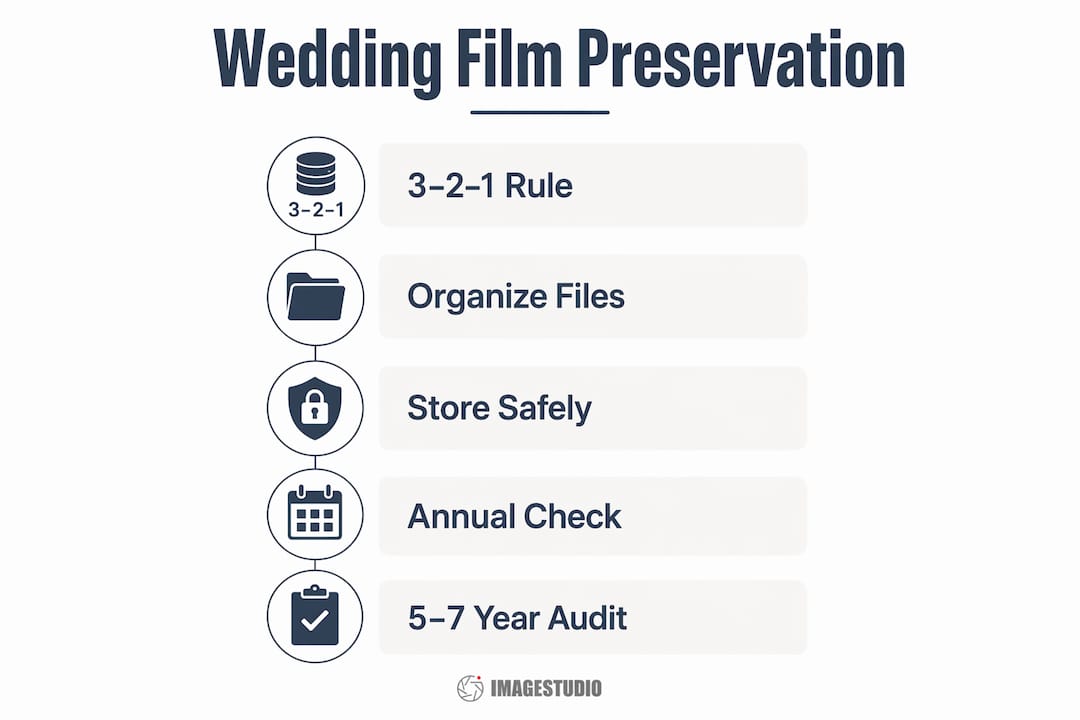
The 3-2-1 backup rule is the gold standard for wedding film storage: keep 3 copies of your files, store them on 2 different media types, and place at least 1 copy off-site. This approach means a single disaster, whether a house fire, a failed hard drive, or a lapsed subscription, cannot wipe out your entire archive.
Here is how the most common storage options stack up:
| Storage type | Estimated lifespan | Cost | Best use |
|---|---|---|---|
| External hard drive | 3–5 years active use | Low to moderate | Primary local backup |
| USB flash drive | 2–5 years | Very low | Secondary short-term copy |
| Archival-grade DVD/Blu-ray | 25–100 years (sealed) | Low | Long-term physical archive |
| Cloud storage (Google Drive, Dropbox) | Ongoing with subscription | Low monthly fee | Off-site redundancy |
| M-DISC (Millenniata) | 1,000+ years claimed | Moderate | Permanent physical archive |
Cloud storage is non-negotiable for off-site protection, but combining cloud with local copies is the only truly safe approach. Account lockouts, forgotten passwords, and lapsed subscriptions are real risks that have cost couples their films permanently.
A few practical points worth knowing:
- External hard drives are affordable and fast to access, but they are not set-and-forget devices. They need regular attention to stay healthy.
- USB drives are convenient for sharing clips with family, but their small size makes them easy to lose. Never rely on one as your only copy.
- Archival-grade optical discs like M-DISC are written with a rock-layer substrate rather than dye, which makes them far more durable than standard DVDs. Standard DVDs degrade within a decade in typical home conditions.
- Cloud platforms update their infrastructure regularly, which helps protect data integrity better than stagnant physical media. The subscription risk remains, so always keep a local copy too.
Pro Tip: Store at least one physical copy in a fireproof, waterproof safe at home and a second copy at a trusted family member’s house. Geographic separation matters.
How to organize your wedding film files for long-term accessibility
File organization is the part most couples skip, and it is exactly what makes future playback and migration painful. A well-structured archive package means you can hand your wedding film to your grandchildren without anyone needing to decode a mystery folder of unlabeled clips.
Start by saving two versions of every film: the original raw footage and the edited master copy. Raw files preserve everything your videographer captured. The edited master is what you will actually watch. Keeping both means you can always re-edit or reformat from the source if technology changes.
For file formats, export your edited master as an MP4 using the H.264 codec. H.264 is one of the most widely supported formats across devices, operating systems, and streaming platforms. Proprietary formats tied to specific editing software, like Final Cut Pro’s ProRes or older Windows Media formats, risk becoming unplayable as software evolves. Open, widely supported formats survive the decades far better.
Building a complete archive package means including more than just the video files themselves. Document the following alongside your films:
- Codec and format details: Note the file format, codec, resolution, and frame rate for every file.
- Editing software used: Record which version of Adobe Premiere Pro, DaVinci Resolve, or Final Cut Pro was used to create the master.
- Transcripts and captions: Save any speech transcripts or subtitle files. These help with future accessibility and searchability.
- Metadata notes: Include the wedding date, location, videographer name, and any music licensing information.
This documentation supports easier future migrations as file formats and codecs evolve over decades. Think of it as the instruction manual for your archive.
Pro Tip: Create a single folder labeled with your wedding date and names, for example “2024-06-15 Smith-Jones Wedding.” Inside it, create subfolders: Raw Footage, Edited Master, Highlights, and Archive Notes. This structure is instantly readable by anyone, including future you.
Knowing how cinematic wedding films are created also helps you understand which files matter most and why keeping the master export is worth the storage space.
How often should you maintain and migrate your wedding film files?
Annual maintenance is the habit that separates couples who still have their wedding films at their 25th anniversary from those who do not. Power up your external drives at least once a year to prevent bit rot, which is the gradual corruption of data on drives that sit idle too long. Your wedding anniversary is the perfect reminder.
Here is a practical annual routine to follow:
- Power up all drives. Connect every external hard drive and USB drive. Let them run for a few minutes. Confirm the files open and play correctly.
- Log into cloud accounts. Verify your Google Drive, Dropbox, or other cloud storage is active and your files are still there. Check that your subscription is current.
- Watch a clip. Play at least one section of your wedding film all the way through. This confirms the file is not corrupted and the format still plays on your current device.
- Check storage health. Use free tools like CrystalDiskInfo (Windows) or Disk Utility (Mac) to check the health status of your hard drives.
- Update your archive notes. Note the date of your check-in and any changes to your storage setup.
Beyond annual check-ins, schedule a full migration audit every 5–7 years. Technology moves fast. The USB 2.0 drives popular in 2010 are now slow and increasingly unsupported. At a minimum, migrate your data to new storage devices once a decade to avoid obsolescence.
Common mistakes couples make during this phase include ignoring drive health warnings, assuming cloud storage is permanent without checking subscriptions, and never testing whether their files actually play on newer devices. Each of these mistakes has cost real couples their wedding films.
Pro Tip: Set a recurring calendar reminder every year on your anniversary labeled “Wedding Film Check-In.” Treat it like a tradition, not a chore. It takes 20 minutes and protects something irreplaceable.
What are the common pitfalls when storing wedding videos safely?
The biggest single mistake couples make is trusting their videographer’s delivery link as their permanent archive. File-sharing links from platforms like WeTransfer expire in 7 days on the free tier. Vimeo links tied to a videographer’s subscription disappear the moment that subscription ends. Download your films immediately upon delivery and store them yourself.
Environmental hazards are the second most overlooked threat. Heat, moisture, and magnetic fields degrade storage devices faster than almost anything else. A hard drive stored in a garage, a basement, or near a speaker can fail years before its expected lifespan. Keep physical storage in a cool, dry, and magnet-free environment.
“The couples who lose their wedding films rarely do so all at once. They lose them slowly, one failed drive at a time, one expired link at a time, until nothing is left.”
Other pitfalls worth avoiding:
- Relying on a single cloud provider. If Google Drive changes its pricing or your account gets locked, you need a backup. Use at least two cloud services or one cloud plus one physical copy.
- Storing everything in one location. A house fire or flood takes out everything in one place. Geographic separation is not paranoia. It is smart planning.
- Ignoring format compatibility. A file that plays perfectly today may not open on devices made in 2035. Stick to widely supported formats and revisit your archive every few years.
If you ever find files have become inaccessible, start with free recovery tools like Recuva or PhotoRec before assuming the data is gone. For physically damaged drives, professional data recovery services like DriveSavers can often retrieve files even from drives that no longer spin.
Key takeaways
The most reliable way to protect your wedding film long term is to combine the 3-2-1 backup rule with annual check-ins, open file formats, and documented archive packages.
| Point | Details |
|---|---|
| Apply the 3-2-1 rule | Keep 3 copies across 2 media types with 1 stored off-site at all times. |
| Use open file formats | Export your master film as MP4 with H.264 to stay compatible with future devices. |
| Check in every anniversary | Power up drives, verify cloud access, and play a clip to confirm file health each year. |
| Document your archive | Save codec details, software versions, and metadata alongside your video files. |
| Avoid delivery link reliance | Download films immediately from WeTransfer or Vimeo before links expire. |
Why preservation is really about the story you are keeping
I have worked with couples at Imagestudio for years, and the ones who take preservation seriously share one thing in common. They do not think of their wedding film as a file. They think of it as a story. That shift in mindset changes everything about how you treat the archive.
The technical steps matter, and you should follow them. But the deeper reason to build a real preservation system is that your wedding film is the only moving record of that specific day, those specific people, and that specific version of you and your partner. Some of the guests in your film may not be here in 20 years. That footage becomes more valuable with time, not less.
What I tell every couple is this: treat your preservation routine like a tradition. Pull out the film on your anniversary. Watch it together. Check your drives. It takes less time than dinner, and it keeps the story alive in a way that a dusty hard drive in a drawer never will. The couples who do this consistently are the ones who still have their films at their 30th anniversary, and who can share them with their children.
If you want to understand more about what makes a wedding documentary film worth preserving in the first place, the craft behind it is worth knowing. A film made with intention is a film worth protecting.
— Image Studio
How Imagestudio helps you start with a film worth keeping
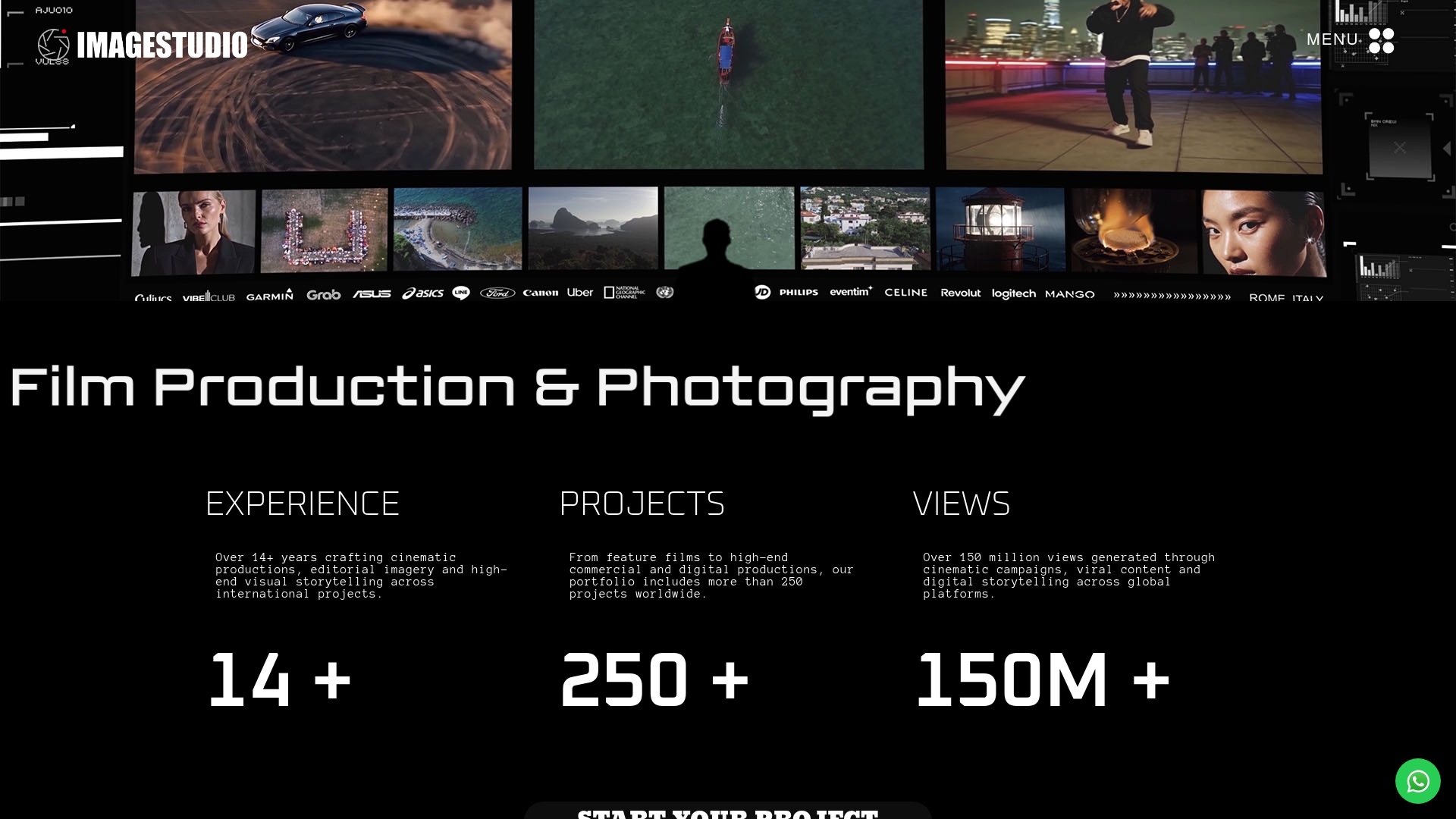
Every preservation strategy starts with one thing: a film that is actually worth preserving. Imagestudio brings 14 years of cinematic production experience to every wedding film, with 250+ projects and over 150 million views across its portfolio. The studio’s delivery process is designed with long-term access in mind, giving couples files in formats built for decades of playback, not just the week after the wedding. If you are ready to start with a film that holds up for generations, explore Imagestudio’s cinematic wedding film production services and see what a preservation-ready archive looks like from day one.
FAQ
How many copies of my wedding film should I keep?
The 3-2-1 backup rule recommends keeping 3 copies across 2 different media types, with at least 1 stored off-site. This protects against hardware failure, theft, and localized disasters.
What is the best file format for long-term wedding video storage?
MP4 with the H.264 codec is the most widely supported format for long-term playback across devices and operating systems. Avoid proprietary formats tied to specific editing software, as these risk becoming unplayable over time.
How often should I back up or migrate my wedding film files?
Power up your drives and verify cloud access every year on your anniversary. Run a full migration audit every 5–7 years to move files to newer hardware and confirm format compatibility with current devices.
Can I rely on my videographer’s delivery link as my permanent backup?
No. WeTransfer free links expire in 7 days, and Vimeo links disappear when a videographer’s subscription ends. Download your films immediately and store them in your own controlled storage.
Does cloud storage alone protect my wedding film long term?
Cloud storage is a strong off-site layer, but relying on it alone carries real risk. Account lockouts, subscription lapses, and platform changes can all cut off access. Always combine cloud with local physical copies for complete protection.
