Cinematic Effects for Music Videos: A Creator’s Guide
July 12, 2026
Discover the best cinematic effects for music videos, from beat-synced visuals and color grading to vintage aesthetics, AI-powered VFX, and practical filmmaking techniques that create unforgettable visual storytelling.
Cinematic effects for music videos are visual techniques that transform raw footage into emotionally charged storytelling experiences. The best music video visuals go far beyond performance shots. They build entire worlds through color, light, texture, and motion. Whether you are an independent artist shooting on a tight budget or a director working with a full crew, understanding which effects carry the most creative weight changes everything. This guide covers the top effects, the technical methods behind them, and how to put them to work on your next project.
1. What are the best cinematic effects for music videos?
The most effective visual effects for music videos serve the song first and the spectacle second. Each technique below earns its place by adding mood, narrative depth, or emotional resonance.
2. Particle effects
Particle effects scatter animated elements like dust, embers, or light flecks across the frame. They add atmosphere without competing with the subject. Use them sparingly over close-up performance shots to create a sense of magic or decay, depending on your color grade. AI-powered platforms can generate custom particle animations in under 60 seconds, at a fraction of the cost of traditional post-production.
3. Beat-synced flashes and strobes
Flash cuts and strobes tied to the kick drum create an immediate physical response in the viewer. The effect works best in high-energy genres like trap, electronic, and hip-hop. Keep flash duration short and vary the intensity so the effect feels musical rather than mechanical.
Pro Tip:Set your strobe layer to a blend mode like Screen or Add so it brightens the frame rather than cutting to white, which reads as a technical error on some displays.
4. Vintage lo-fi aesthetics
Vintage camera formats like BetaCam, VHS, and MiniDV produce nostalgic, dreamy visuals that feel emotionally raw. Cinematographers confirm that tasteful lo-fi visuals using these formats deepen emotional connection despite the technical editing challenges they introduce. Editing interlaced footage for modern progressive displays requires skill, but the payoff is a visual texture that no digital filter fully replicates.
5. Selective blur and rack focus
Selective blur draws the viewer’s eye to exactly where you want it. A shallow depth of field isolates a face from a busy background. A rack focus mid-shot shifts attention from one subject to another, mimicking the feeling of a thought or memory surfacing. This technique works across every genre and budget level.
6. Color pulsing and grade shifts
Color pulsing ties your grade to the audio, so the image warms or cools in response to the music. A subtle push toward orange on the chorus and a pull toward teal on the verse creates a subconscious emotional arc. Grade shifts between scenes also signal time jumps or emotional transitions without relying on title cards.
7. Digital overlays and scan lines
Digital overlays add a layer of texture that references screens, surveillance, or broadcast media. Scan lines, static bursts, and RGB channel splits all suggest a world mediated by technology. These effects work especially well in cyberpunk, R&B, and experimental genres where the aesthetic references internet culture directly.
8. Lens distortion and aberration
Lens distortion warps the edges of the frame, making the image feel unstable or dreamlike. Chromatic aberration, where color channels separate slightly at the edges, adds a handmade quality that expensive lenses deliberately avoid. Both effects signal authenticity and rawness, which audiences increasingly read as genuine rather than polished.
9. Neon and glitch effects
Neon light leaks and glitch artifacts create visual energy without requiring complex compositing. A well-placed neon leak on a dark frame reads as cinematic immediately. Glitch effects, when timed to a snare hit or a lyric drop, feel intentional rather than accidental. The key is restraint: one strong glitch moment per section lands harder than constant noise.
10. Animated lyric overlays
Animated lyric overlays turn words into visual elements that reinforce the song’s message. Kinetic typography, where letters scale, rotate, or dissolve in time with the vocal, keeps viewers engaged on repeat watches. AI-driven platforms generate lyric animations quickly, making this effect accessible even without a motion graphics background.
11. Smoke and haze enhancements
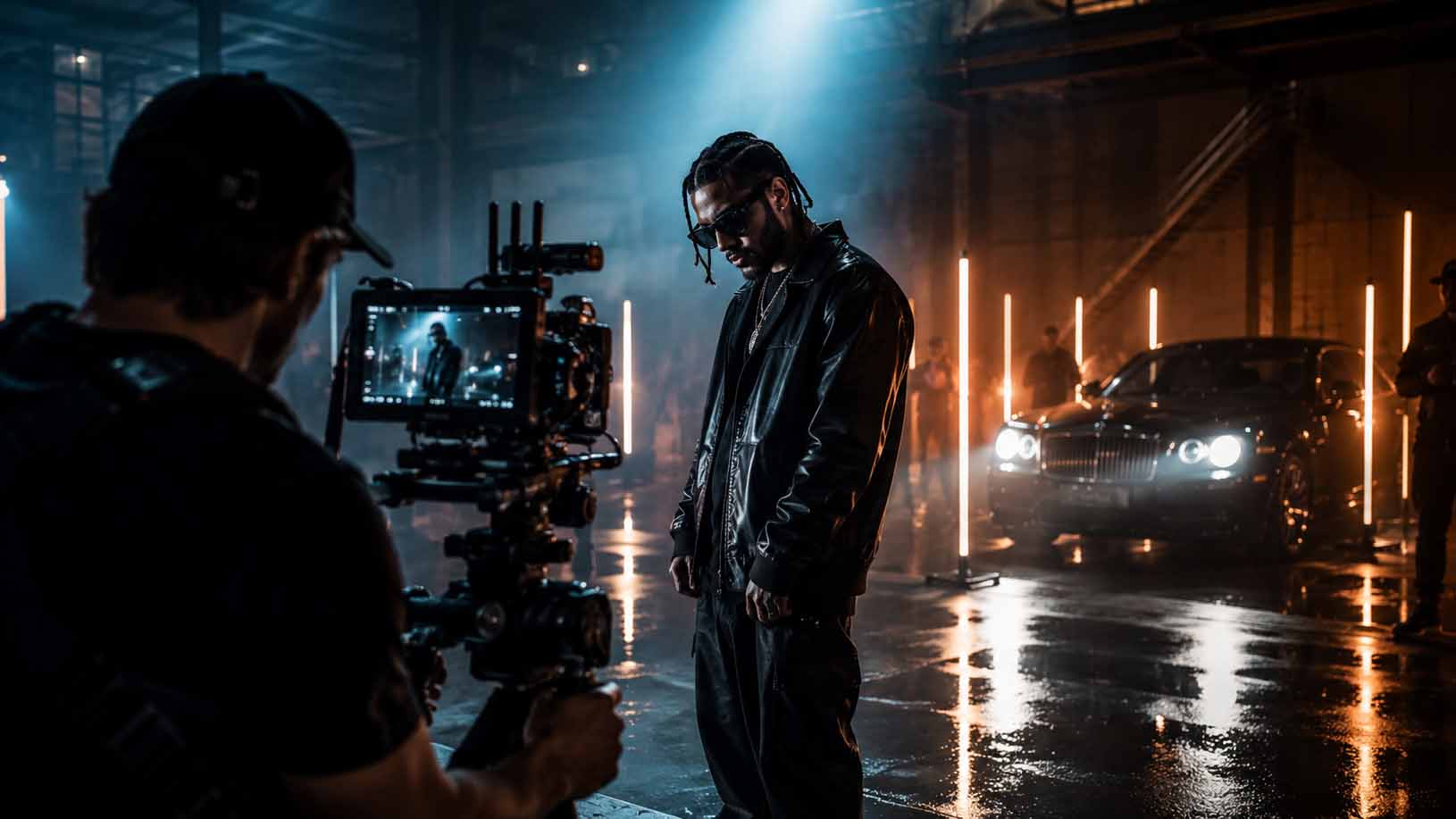
Practical haze on set catches light in a way that no post-production filter matches. It adds depth to flat backgrounds, softens hard edges, and gives beams of light a physical presence. If you cannot use a haze machine on set, layered smoke overlays in post can approximate the effect, though they require careful masking to look natural.
How to integrate beat-synced effects for audio-visual harmony
Beat-synced visual effects work by reading audio transients and triggering visual events at precise moments. Automated beat-detection tools target specific frequency bands, so a bass kick triggers a particle burst while a snare hit triggers a camera shake. This level of precision makes the video feel like an extension of the music rather than a visual track laid over it.
The technical process follows a clear sequence:
Analyze the audio file to extract beat timestamps for kick, snare, and hi-hat frequencies.
Map each frequency band to a specific visual event or layer.
Apply per-object damping to control intensity. Background elements should sit at 10–20% intensity while foreground elements run at 80–100%.
Preview the sync against the full mix, not just the isolated track.
Adjust damping values until the visual rhythm feels musical rather than mechanical.
Librosa-driven ffmpeg filter chains automate this process without requiring machine learning expertise at runtime. Two modes cover most use cases: smooth crossfades for mood-driven sections and hard-cut strobe effects for high-energy short-form content.
Pro Tip:Never sync every visual element to the same beat. Stagger your triggers so the frame breathes between hits. A video where everything flashes at once reads as chaotic rather than energetic.
Why vintage techniques and modern effects create compelling aesthetics
The most visually distinctive music videos right now mix old and new without apology. Directors like Mohammed Al Kindy combine internet culture, anime references, and documentary-style footage to build narratives that feel authentic precisely because they are chaotic. Audiences increasingly appreciate surreal, layered visuals over polished traditional looks. That shift changes what “cinematic” means in practice.
Blending vintage formats with digital effects creates several specific advantages:
VHS grain and scan lines add texture that modern sensors cannot replicate organically.
Interlaced footage, when properly processed for progressive displays, produces a motion blur quality that feels dreamlike.
Mixing formats within a single video, such as cutting from 4K digital to MiniDV, creates a visual contrast that signals memory, time, or perspective shifts.
Lo-fi aesthetics lower the perceived production barrier, which makes the emotional content feel more direct and less manufactured.
The challenge is technical. Interlaced footage requires deinterlacing before it sits cleanly on a modern timeline. Color matching between formats takes time. The payoff, though, is a visual signature that no single camera or filter pack can produce on its own.
Designing a cohesive visual world through layered VFX
Effective VFX design depends on building a believable world during production, not in post. Real textures, practical lighting, and intentional set design give digital effects something solid to attach to. When the on-set foundation is strong, layered effects like selective blur, haze, and color pulsing feel like extensions of reality rather than additions to it.
Planning for effects integration before the shoot saves significant time in post. Decide which shots will carry heavy VFX and light them accordingly. A shot destined for a glitch overlay needs less detail in the background. A shot built for color pulsing benefits from a neutral grade on set so the pulse has room to move. Layered color correction and compositing enhance narrative clarity and emotional impact beyond what raw performance footage delivers alone.
Managing multiple camera formats in a single project requires early decisions about your delivery resolution and aspect ratio. Cropping for different platforms, from widescreen to vertical, must be considered before you lock your edit.
Pro Tip:Build a simple shot list that flags each setup as “heavy VFX,” “light VFX,” or “clean.” Share it with your colorist before the shoot so they know which shots need a neutral base and which can be pushed on set.
How AI-driven assets produce high-quality effects on a budget
AI-generated cinematic assets typically deliver in ProRes 4444 MOV format with alpha transparency. That format is the industry standard for layering effects over live footage in professional editing workflows. The alpha channel means you drop the asset directly onto your timeline without rotoscoping or manual masking.
The cost difference between AI-generated assets and traditional post-production is significant. Traditional post-production for a single music video can exceed $5,000. AI platforms generate custom animated lyric overlays, audio visualizers, and particle effects in under 60 seconds. For independent artists and small production teams, that gap changes what is possible on a given budget.
The practical workflow is straightforward. Generate your assets, import the ProRes 4444 files into your editing software, and composite them over your footage using the embedded alpha channel. Adjust opacity and blend mode to match your grade. The result reads as professional because the file format and resolution match what high-end productions use.
Pro Tip:Always request or export assets at a resolution higher than your delivery format. A 4K particle overlay composited onto a 1080p timeline gives you room to reframe without losing quality.
Imagestudio uses AI production methods alongside traditional filmmaking to give creators access to high-end visual effects without the traditional price tag attached to them.
Key takeaways
The most effective cinematic effects for music videos combine technical precision with a clear creative intention, so every visual choice serves the song’s emotional story.
Point
Details
Beat-sync with damping
Set background effects to 10–20% intensity and foreground effects to 80–100% for visual clarity.
Vintage formats add texture
BetaCam, VHS, and MiniDV produce lo-fi moods that digital filters cannot fully replicate.
Plan VFX before the shoot
Flag heavy and light VFX shots in pre-production so lighting and set design support post work.
AI assets cut costs
ProRes 4444 AI-generated overlays and particles deliver professional quality at a fraction of traditional fees.
Restraint beats excess
One strong glitch or strobe moment per section lands harder than constant visual noise.
What I have learned about effects that actually move people
I have watched a lot of music videos with technically flawless VFX that left me completely cold. The particle systems were perfect. The color grade was immaculate. And yet nothing landed. The reason is almost always the same: the effects were chosen for their visual complexity rather than their emotional function.
The videos that stay with me are the ones where the effect feels inevitable. A color pulse that mirrors the singer’s breath. A glitch that hits exactly when the lyric breaks. Vintage grain that makes a memory sequence feel genuinely fragile. These choices are not accidents. They come from directors who understood the song deeply before they touched a single effect.
The trend toward sensory-rich, culturally layered visual narratives is real and it is not going away. Audiences have developed a sharp instinct for authenticity. They can tell when an effect is there to impress versus when it is there to communicate. The chaotic, surreal aesthetic that directors like Mohammed Al Kindy use works because the chaos is intentional. Every reference, every format mix, every visual collision serves a feeling.
My honest advice: pick two or three effects that genuinely fit the song’s emotional core and execute them with full commitment. A music video built around one unforgettable visual idea outperforms a video that tries every technique in the catalog. Technology gives you access to extraordinary tools. Clarity of vision is what makes those tools matter.
— Image Studio
Imagestudio’s approach to cinematic music video production
Imagestudio has spent over 14 years building music video projects that have collectively reached more than 150 million views. The team brings together cinematographers, colorists, and VFX artists who work from a single creative brief, so the visual effects serve the song rather than overshadow it.
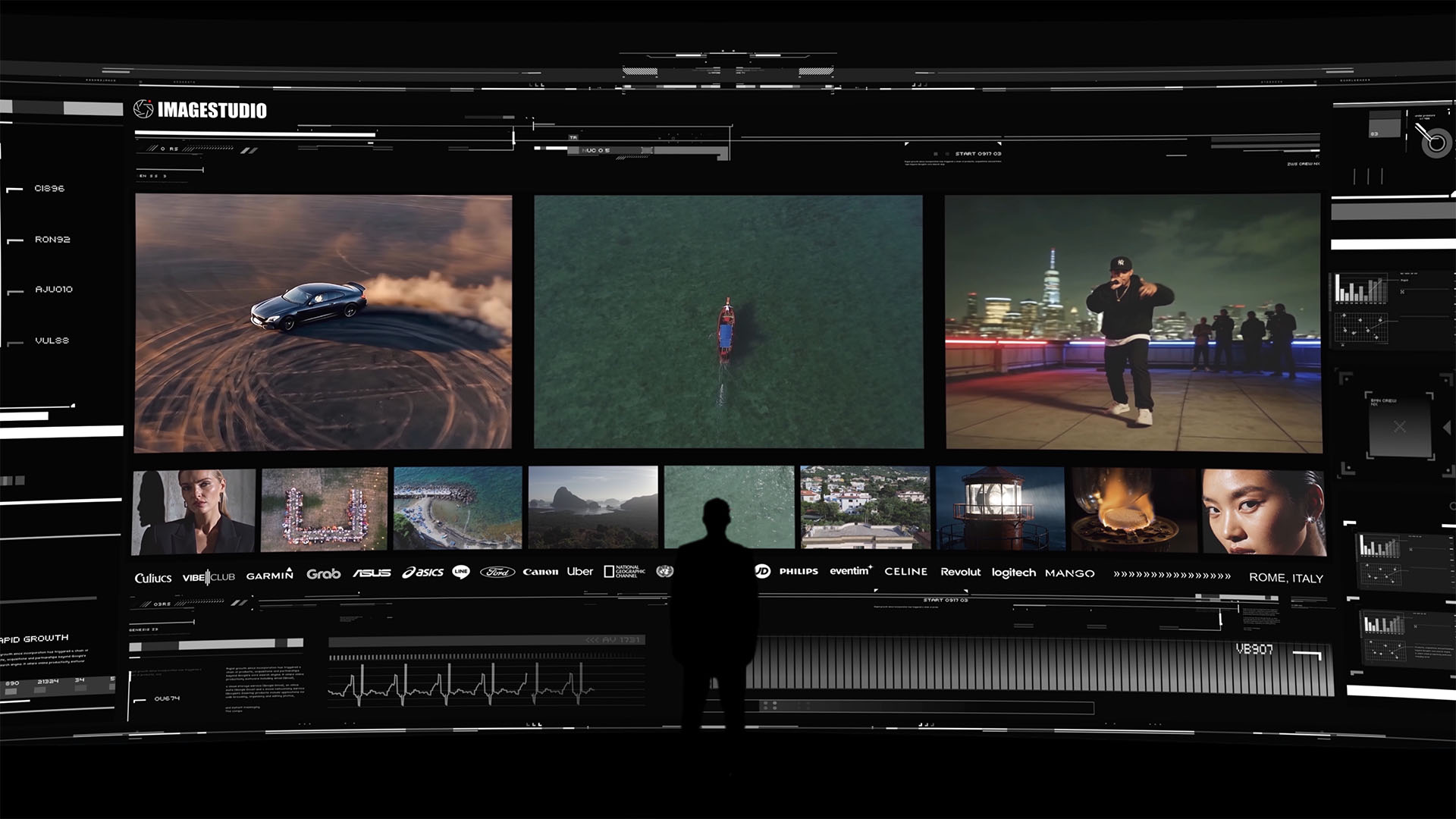
A high-end cinematic portfolio experience by Image Studio featuring automotive visuals, aerial cinematography, urban storytelling, and premium brand collaborations.
For artists and directors who want cinematic music video production that integrates practical filmmaking with AI-driven assets, Imagestudio offers a production workflow built for exactly that. From pre-production planning through final delivery in ProRes 4444, the team handles every stage with the kind of attention that turns a good video into a memorable one. If your next project deserves that level of craft, Imagestudio is ready to build it with you.
FAQ
What are cinematic effects for music videos?
Cinematic effects for music videos are visual techniques applied during filming or post-production to enhance mood, narrative, and emotional impact. They include color grading, particle overlays, beat-synced strobes, lens distortion, and vintage format aesthetics.
How do I sync visual effects to the beat of a song?
Beat-detection tools analyze audio transients and trigger visual events at specific frequency bands, such as kick, snare, and hi-hat. Per-object damping controls intensity so the result feels musical rather than chaotic.
What file format do AI-generated cinematic assets use?
AI-generated assets typically come in ProRes 4444 MOV format with alpha transparency, which is the industry standard for compositing effects over live footage in professional editing software.
Can I create cinematic music videos on a small budget?
Yes. AI-driven platforms generate custom animated overlays, visualizers, and particle effects in under 60 seconds at a fraction of traditional post-production costs. Practical techniques like haze machines and selective blur also deliver high-end results without expensive equipment.
Why do vintage camera formats still work in modern music videos?
Vintage formats like VHS and BetaCam produce grain, motion blur, and color shifts that digital sensors cannot replicate. Cinematographers confirm these lo-fi textures evoke nostalgia and deepen emotional connection, making them a deliberate creative choice rather than a limitation.