
Explore creative music video concepts including performance, narrative, lyric, animation, conceptual, documentary, and one shot ideas. Learn how to choose the right concept, plan your shoot, manage your budget, and create cinematic results.
← Back to Editorial
← Back to Editorial
Music Video Concepts: Creative Ideas for Every Budget
August 14, 2026
The strongest music video concepts fall into seven families: performance, narrative, lyric/typography, animation and stop-motion, conceptual/art, documentary/BTS, and one-shot/continuous take. Each family fits a different kind of song, and knowing which one matches yours is the fastest path from idea to camera.
Here is how each family maps to song traits:
- Performance fits high-energy tracks with a strong visual artist identity and minimal lyric narrative.
- Narrative suits songs where the verse tells a story and the chorus delivers an emotional payoff.
- Lyric/typography works best for lyric-dense songs where the words themselves carry the weight.
- Animation and stop-motion serve abstract or dreamlike tracks where live action would feel too literal.
- Conceptual/art pairs with mood-driven songs that prioritize atmosphere over plot.
- Documentary/BTS is ideal when the artist’s creative process is as compelling as the music itself.
- One-shot/continuous take rewards songs with a single sustained arc, no hard breaks, and a strong central performer.
Your next step: listen to your song once with your eyes closed, then write down three words that describe the feeling. Match those words to the family above. That ten-minute exercise will narrow your concept to one or two options before you ever open a camera app.
Pro Tip: Before you commit to a concept, ask whether a stranger who has never heard the song would understand the video’s emotional core in the first thirty seconds. If the answer is no, simplify.
Key Takeaways
The most effective music video concepts are chosen before the camera is ever turned on, grounded in the song’s meaning, and planned with platform distribution in mind from the first day of pre-production.
| Point | Details |
|---|---|
| Pick a concept family first | Match performance, narrative, lyric, animation, conceptual, documentary, or one-shot to your song’s tempo and lyric density. |
| Budget shapes the format | Under $500 points to one-shot, lyric/typography, or phone-based performance; $500–$5,000 opens multi-location narrative shoots. |
| Plan platform cuts on set | Shoot vertical moments during production; a forced 9:16 crop in post always loses quality and framing. |
| Pre-production wins the shoot | Permits, location releases, and talent releases must be signed before the shoot day, not after. |
| Imagestudio for high-concept work | When the concept requires cinema cameras, VFX, or full creative direction, Imagestudio’s 14+ years and 250+ projects deliver the execution gap that DIY cannot close. |
Table of Contents
- What Are the Best Music Video Concepts You Can Actually Shoot?
- How Do You Pick the Right Concept for Your Song?
- Low-Budget Execution: Gear, Crew, and Techniques That Look Cinematic
- Storyboard, Timeline, and Budget Tiers
- When Does Hiring a Production Studio Make Sense?
- Smartphone Hacks and DIY Rigs That Actually Work
- Your Pre-Shoot Execution Checklist
- Common Pitfalls and How to Avoid Them
- What the Best Concepts Have in Common
- Imagestudio’s Music Video Production Service
- Further Reading and Resources
What Are the Best Music Video Concepts You Can Actually Shoot?
The most useful idea bank is one you can copy directly. Below, each concept family comes with production-ready micro-ideas and a note on crew and platform requirements.
Performance
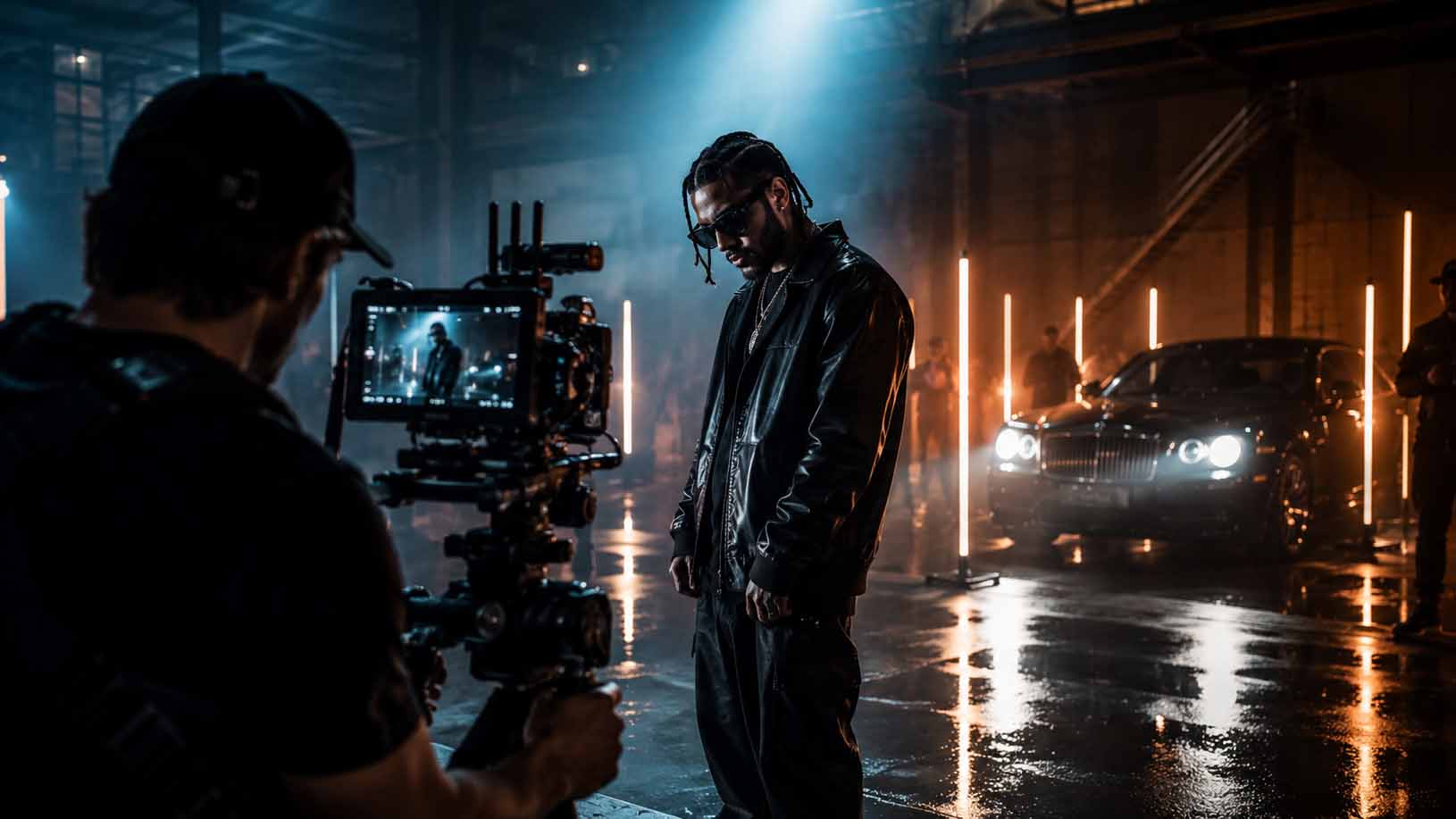
- Artist performs in a single, visually striking location: an empty parking garage, a rooftop at golden hour, a fog-filled warehouse.
- Split-screen performance: two timelines of the same artist, different outfits, same choreography, cut in sync with the beat.
- Crowd-integrated performance where the artist moves through real people reacting in real time.
- Silhouette performance against a backlit sheet or window, with color gels shifting through the song.
- Mirror room performance using inexpensive mylar sheets to multiply the image.
- Reverse performance: shoot the artist performing backward, then flip the footage in post for an uncanny effect.
Phone-only friendly: silhouette, reverse, and single-location performance. Small crew (two people) handles the rest.
Narrative
- A love letter that never gets sent, told through parallel scenes of writing and the imagined recipient reading.
- A road trip that starts in daylight and ends somewhere the character did not expect.
- A day-in-the-life of a character whose routine slowly reveals something extraordinary.
- Two strangers in the same city whose paths almost cross, told in split-screen.
- A character who keeps reliving one moment, with subtle visual differences each loop.
Platform note: plan a 30-second hook from the narrative’s most visually arresting moment for Reels and TikTok cuts.
Lyric/typography
Lyric videos rose to prominence in the 2010s and remain one of the most efficient formats to produce. They also function as discoverability tools on streaming platforms because they foreground the song’s text.
- Kinetic typography where words animate in sync with the vocal rhythm, using a single bold typeface.
- Hand-lettered lyrics filmed on paper, with the camera pulling back to reveal a larger illustration.
- Words appearing on environmental surfaces: sidewalks, windows, mirrors, as the artist walks through a city.
- Lyrics overlaid on abstract footage (smoke, water, fabric) with minimal color palette.
Phone-only friendly: all four. Post-production in CapCut, Adobe Express, or After Effects handles the animation.
Animation and stop-motion
- Stop-motion with paper cutouts that transform with each verse.
- A mixed-media video where live footage of the artist is composited into an illustrated world.
- Frame-by-frame drawn animation synced to the song’s tempo changes.
- Object animation: everyday items rearranged between frames to tell a visual story.
Crew note: animation is often a one-person operation, making it the most budget-controlled format available.
Conceptual/art
- A single unbroken color palette that shifts hue with the song’s emotional arc.
- The artist interacts with an oversized prop (a giant clock, a wall of flowers) in a white studio.
- Slow-motion footage of natural phenomena (rain, fire, fabric falling) cut to the song’s dynamics.
- A visual metaphor played completely straight: the artist literally carries weight, literally walks through walls.
Documentary/BTS
- A day-of-recording video that captures the song being made, from scratch to final take.
- An artist interview intercut with performance footage, where the spoken words echo the song’s themes.
- A tour diary where each city provides a new visual backdrop for the same recurring performance moment.
One-shot/continuous take
Single-take videos often cost very little and deliver high perceived production value when the choreography or blocking is tight. The entire video is one uncut clip, which means rehearsal time replaces equipment spend.
- Artist walks through a series of rooms, each dressed differently, as the song progresses.
- A choreographed sequence filmed in one take in a public space.
- A slow push-in on the artist’s face from wide to extreme close-up over the full song duration.
Pro Tip: Build one recurring visual motif into your video, a specific color, object, or gesture, and repeat it at the chorus. Fans who notice it will share and decode it, extending your video’s organic reach without any additional spend. This is the same principle behind the symbolic layering in high-profile releases like Rosalía’s “Berghain” video, where hidden references drove sustained social conversation.
How Do You Pick the Right Concept for Your Song?
Choosing well at this stage saves weeks of rework. Work through these steps in order.
- Audit the song. Note the tempo (slow, mid, fast), the lyric density (sparse or wall-to-wall words), and whether the chorus or the verse carries the emotional core.
- Define your audience goal. Are you building artist identity, telling a story, or chasing platform virality? Each goal favors a different concept family.
- Set a hard budget number. Not a range. A single number you will not exceed.
- Confirm your timeline. A narrative video with multiple locations needs at least three weeks of pre-production. A one-shot performance can be planned in a weekend.
- Check shareability. Does the concept produce a moment that works as a 30-second vertical clip? If not, plan one scene that does.
- Flag legal concerns early. Does the concept require a location permit, recognizable faces in a crowd, or licensed footage? Resolve these before you shoot, not after.
Questions that map directly to concept families:
- “Is the chorus the emotional core, or does the verse drive the story?” Chorus-driven songs suit performance and conceptual formats. Verse-driven songs suit narrative.
- “Does the artist have a strong visual identity?” Yes points to performance. No points to narrative or lyric formats where the concept carries the weight.
- “Is the budget under $500?” That points to one-shot, lyric/typography, or phone-based performance.
Red flags to avoid:
- A story too complex to resolve in three minutes of screen time.
- A location that requires a film permit you have not budgeted for.
- Stunts, pyrotechnics, or crowd scenes without liability coverage.
- A concept that requires five or more distinct locations on a single shoot day.
The Random Collision Framework is a practical brainstorming tool worth keeping: combine a subject, an action, an aesthetic, and a location to generate original ideas quickly. “Artist / walks backward / in slow motion / through a flooded street” is a complete concept in one sentence.
Low-Budget Execution: Gear, Crew, and Techniques That Look Cinematic
You do not need a large budget to achieve a cinematic result. You need the right tools, a clear plan, and lighting that does the heavy lifting.
Essential gear on a tight budget
- Smartphone with a clip-on anamorphic or wide lens (Moment lenses are a reliable option): gives you a wider field of view and a more filmic aspect ratio.
- LED panel or two practical lamps with diffusion: a $40 LED panel and a white bedsheet will outperform an uncorrected overhead light every time.
- Gimbal or DIY stabilizer: a $80–$120 gimbal (Hohem or FeiyuTech) eliminates the handheld shake that reads as amateur. A slider built from PVC pipe and furniture sliders costs under $20.
- Lavalier microphone: even if you are not recording sync sound, a lav mic on set helps with playback monitoring.
For deeper guidance on lighting setups for different video styles, the principles that separate flat from cinematic footage come down to direction and quality of light, not quantity.
Minimal crew roles
A two-person crew can handle most phone-based concepts:
- Director/DP: frames shots, calls action, monitors playback.
- Production assistant: manages playback, holds reflectors, resets props between takes.
A three-person crew adds a dedicated runner who handles location logistics, wardrobe, and continuity. For guidance on scaling your crew by budget tier, the principle is simple: hire for the role that would otherwise stop the shoot.
Quick workflow from plan to delivery
- Lock the concept and write a one-page treatment.
- Build a shotlist organized by location, not by timeline.
- Shoot in order of location, not story sequence.
- Edit a rough cut within 48 hours of the shoot while memory is fresh.
- Export a full-length master, a 30-second vertical cut, and a 60-second horizontal cut for platform distribution.
Editing and post-production tools
- DaVinci Resolve (free tier): professional-grade color grading with no subscription cost.
- CapCut: fast mobile and desktop editing with built-in lyric and typography templates.
- After Effects (paid): the standard for kinetic typography and compositing.
- Epidemic Sound or Artlist: licensed music for BTS or supplemental content where the original track cannot be used.
For a deeper look at cinematic effects that elevate low-budget footage, the gap between phone footage and professional footage narrows dramatically in post when color grading and contrast are handled with intention.
Pro Tip: Shoot every scene with the edit in mind. Before each take, ask: “Where does this cut to?” If you cannot answer, you are shooting coverage you will never use. Planning edits during production is the single habit that separates efficient shoots from expensive ones.
Storyboard, Timeline, and Budget Tiers
Sample shotlist for a three-act structure
| Act | Moment | Shot Types |
|---|---|---|
| Intro | Establish world and artist | Wide establishing shot, slow push-in to medium |
| Hook/Chorus | Peak emotional moment | Close-up, handheld or gimbal move, insert detail |
| Payoff | Resolution or visual climax | Wide pull-back, final close-up, freeze or slow-motion |
Production timeline for a 2–4 minute video
| Phase | Duration | Key Milestones |
|---|---|---|
| Pre-production | 1–3 weeks | Concept locked, shotlist written, locations confirmed, permits filed |
| Shoot day(s) | 1–2 days | All scenes captured, playback confirmed on set |
| Post-production | 1–3 weeks | Rough cut, color grade, sound sync, platform exports |
Budget tiers
| Tier | Range | What It Typically Covers |
|---|---|---|
| Low | Under $500 | Smartphone, one location, two-person crew, free editing software, practical lighting |
| Medium | $500–$5,000 | Mirrorless or cinema camera rental, small crew (3–5), multiple locations, basic color grade |
| High | $5,000+ | Professional DP and director, full grip and lighting package, location fees, VFX, professional color and sound mix |
A note on permits and rights: most U.S. cities require a film permit for commercial shoots in public spaces. Many offer free or low-cost permits for small crews (typically under five people with no road closures). Always confirm music rights for any sync usage, and get location releases in writing before you shoot. For a full production workflow breakdown, the permit and rights steps belong in week one of pre-production, not as an afterthought.
When Does Hiring a Production Studio Make Sense?
There is a clear line between what a skilled DIY creator can achieve and what a professional studio adds. Knowing where that line sits saves both money and creative regret.
What a studio brings to a music video
- Creative direction and concept development grounded in the artist’s full visual identity.
- Location scouting with access to permitted venues, controlled environments, and production-ready spaces.
- A full lighting and grip package that produces results no phone rig can replicate.
- High-end camera systems (cinema cameras, drones, high-speed rigs) that expand the visual vocabulary.
- Professional VFX, color grading, and delivery masters formatted for broadcast and streaming.
When to hire a studio
- The concept requires more than two locations or a crew larger than five.
- The video will serve as the primary release asset for a label or major campaign.
- The artist’s visual identity is still being defined and needs a coherent creative direction.
- The budget is at or above the medium tier and the goal is a video that outlives the release cycle.
Imagestudio has spent over 14 years and 250+ projects building the kind of production infrastructure that turns a strong concept into a video with lasting visual authority. With more than 150 million views across its portfolio and collaborations with clients including National Geographic, the studio brings both the technical depth and the storytelling instinct that high-concept music videos require. A project that benefits most from studio-level resources is one where the concept is strong but the execution gap between vision and reality is wide.
Visual storytelling at this level uses imagery, symbolism, color, and choreography not as decoration but as meaning. When those elements are handled with precision, they increase emotional connection and the kind of rewatch value that drives streams over time.
Pro Tip: Even if you plan to shoot DIY, spend one hour with a professional director or DP in a consultation before you shoot. A single conversation about lighting, blocking, and camera movement will change what you capture on the day.
Smartphone Hacks and DIY Rigs That Actually Work
The gap between phone footage and professional footage is smaller than most creators assume, and it closes fastest with three interventions: stabilization, light control, and lens quality.
Stabilization without a gimbal: mount your phone on a half-full water bottle inside a bag. The weight and flex absorb micro-shake. A monopod with a phone clamp costs under $15 and handles slow tracking shots cleanly.
DIY slider: two parallel lengths of PVC pipe with a phone clamp riding on furniture sliders. Total cost under $20. Produces smooth lateral moves that read as professional on screen.
Practical effects on zero budget: a glass of water held in front of the lens creates a natural distortion effect. Fairy lights out of focus in the background produce a bokeh effect that reads as cinematic. A handheld prism splits light into rainbow flares without any post-production.
Controlling light with what you have: a white foam board from a craft store acts as a reflector. A bedsheet over a window diffuses harsh sunlight into soft, flattering light. Two practical lamps with warm bulbs and a dimmer switch give you controllable key and fill light for under $30.
Platform-aware edits should be planned during pre-production, not added as an afterthought. Shoot every key moment in vertical orientation as well as horizontal. A 9:16 crop planned on set is always cleaner than a forced crop in post.
Your Pre-Shoot Execution Checklist
A shoot without a checklist is a shoot that runs long and comes back with gaps. Work through these before you leave for the location.
Storyboard and shotlist:
- Every scene has a corresponding thumbnail sketch or reference image.
- The shotlist is organized by location, with shot type and lens noted for each setup.
- A “must-have” column marks the shots the edit cannot survive without.
Locations:
- Location confirmed and visited in person or via video call.
- Time of day for each location locked (golden hour, overcast, controlled interior).
- Backup location identified for weather-dependent exteriors.
Permits and legal:
- Film permit filed with the relevant city or county office for any public space shoot.
- Location release signed by the property owner for private spaces.
- Music rights confirmed for any sync or supplemental content usage.
- Talent releases signed by every person who appears on camera.
Crew and roles:
- Every crew member knows their role and has a call sheet with the day’s schedule.
- Playback device confirmed and loaded with the final mix of the track.
- Emergency contact and nearest medical facility noted on the call sheet.
For a complete guide on how to produce a music video from concept to delivery, the pre-production phase is where most successful shoots are won or lost.
Common Pitfalls and How to Avoid Them
Most music video shoots fail in pre-production, not on the day. These are the patterns worth recognizing before they cost you time or money.
Overcomplicating the concept. A three-minute video cannot carry five subplots. If your treatment requires more than one paragraph to explain the story, simplify until it fits one sentence. The best music video concepts are legible in a single image.
Ignoring the song’s tempo when planning cuts. A slow, atmospheric track cut with fast jump cuts creates cognitive dissonance. Map your edit rhythm to the song before you shoot, not after.
Skipping the location scout. A location that looks perfect in a photo may have uncontrollable ambient noise, inconsistent light, or no power access. Visit every location before the shoot day, even briefly.
Underestimating post-production time. Color grading, sound sync, and platform exports take longer than most first-time creators expect. Budget at least one week of post for every shoot day.
Forgetting platform formats. A video shot and edited only in 16:9 horizontal loses significant reach on TikTok and Instagram Reels. Plan vertical moments during production. A video SEO strategy that accounts for platform-specific formats from the start will extend the video’s discoverability well beyond the release week.
Not getting releases signed. A location owner who changes their mind after the shoot, or a bystander who appears on camera without consent, can block a release entirely. Get every release signed before you shoot, not after.
What the Best Concepts Have in Common
The concept is not the decoration. It is the argument the video makes about the song.
Every music video I have seen succeed over time, whether shot on a phone or a cinema camera, shares one quality: the visual language was chosen to serve the song’s meaning, not to impress the viewer with technique. A one-shot performance in an empty room can carry more emotional weight than a high-budget narrative if the concept is coherent and the execution is honest.
The genre and mood of the song should shape every visual decision, from color palette to location to the speed of the edit. A melancholic folk track and a high-energy hip-hop record are not just different in sound. They require fundamentally different visual grammars. Adapting the concept to the genre is not a constraint. It is the creative discipline that makes the video feel inevitable rather than arbitrary.
My practical suggestion: once you have locked your concept, write one sentence that describes what the video is about, not what happens in it. “A woman realizes she has been waiting for permission she already had” is a concept. “A woman walks through different rooms” is a description. The sentence that describes meaning will guide every decision from location to wardrobe to the final cut.
Imagestudio’s Music Video Production Service
Imagestudio works with artists at every stage of their visual identity, from first single to full campaign. The studio’s cinematic music video production service covers creative direction, location scouting, full lighting and grip, cinema-grade camera systems, and professional color and VFX finishing. The result is a video built to perform across streaming platforms, social media, and press placements, not just on release day.
Before requesting a quote, gather these six items:
- A final or near-final mix of the track.
- Two to four reference videos that reflect the visual direction you want.
- A hard budget number (not a range).
- Your release timeline and any fixed deadlines.
- A list of locations you have in mind or access to.
- A single point of contact who can make creative decisions.
Reach out through Imagestudio’s film production page to start the conversation. The first call is a concept alignment session, not a sales pitch. You will leave with a clearer sense of what your concept requires and what a professional production can realistically deliver within your budget.
Further Reading and Resources
These resources informed the ideas and frameworks in this article and are worth exploring if you want to go deeper on any section.
- Visual Storytelling in Music Videos (MDLBEAST): — A strong foundation for understanding how imagery, symbolism, and choreography build emotional connection and rewatch value. Useful for anyone developing a conceptual or art-driven video.
- Music Video Idea Generator: 50+ Concepts to Kickstart Your Next Visual: — The source for the Random Collision Framework and the budget tier examples (under $500, $500–$5,000). Practical starting point for micro-idea generation.
