Web Video Production: Your Complete Studio Hiring Guide
August 9, 2026
Learn how web video production works, from creative briefs and production costs to video formats, hosting, accessibility, and web-ready deliverables. Discover how to create professional website videos that strengthen your brand and perform across digital platforms.
Start with a single, short hero video optimized for autoplay-off embeds and a clear call to action. That one decision shapes everything else: format, hosting, budget, and who you hire. For businesses commissioning professional web video production, the fastest path forward is preparing a one-paragraph creative brief and reaching out to a studio like Imagestudio before you finalize any platform or format choices. Two standards worth knowing upfront: MP4 with H.264 encoding remains the universal web-safe deliverable, and WCAG 2.1 sets the accessibility baseline for captions and keyboard controls.
Key Takeaways
A short, autoplay-off hero video with a clear CTA and a full deliverables package is the highest-ROI starting point for any website video production program.
Point
Details
Start with a hero video
A 15–30 second MP4, muted autoplay-off, with a poster image and clear CTA covers most homepage needs.
Use gallery sources strategically
Dribbble, Pinterest, and Webflow’s Made in Webflow gallery are the best sources for design patterns and brief references.
Confirm deliverables before signing
Request web masters, WebM variants, SRT captions, vertical cuts, and thumbnails in every proposal.
Budget realistically
Live-action brand films typically range from $10,000 to $50,000+; animated explainers often start around $3,000–$8,000.
Imagestudio for high-end production
With 250+ projects and 150M+ views, Imagestudio delivers web-ready cinematic video with full deliverables packages.
Table of Contents
Where do you find the best video production website designs?
What are the technical best practices for web video?
How do you choose and brief a video production studio?
What does a typical web video production timeline and cost look like?
Why Imagestudio stands out for high-end web video production
When is hiring a specialist studio worth it vs. going DIY?
Imagestudio is ready to produce your next web video
Useful sources for inspiration and vendor research
Where do you find the best video production website designs?
Visual inspiration is everywhere, but three sources consistently deliver the highest-quality examples for web video producers and their clients.
Dribbble hosts thousands of video production website designs, from agency portfolio layouts to motion-heavy hero sections. The real value is in the UI detail: hover states, reel thumbnails, and transition timing you can screenshot and annotate for your own brief. Search “video production agency” or “film portfolio” and filter by color palette to narrow results fast.
Pinterest works differently. It pulls board-style mood boards from across the web, making it ideal for rapid visual ideation when you need to align stakeholders on a look before a single frame is shot. Build a board with 15–20 pins, then annotate each one with a note on what specifically you want to borrow: the poster frame color grade, the typography weight, the CTA button placement.
Webflow’s Made in Webflow gallery is the most practical of the three because every site in it is live and cloneable. You can study CMS-driven portfolio patterns, scroll-triggered video embeds, and case-study tile layouts that actually load fast. For design and branding insights that complement these gallery sources, Coumba Win’s blog offers a useful editorial lens on visual strategy for media-focused sites.
Four repeatable design patterns worth stealing
Hero showreel loop: A 10–15 second muted autoplay reel behind the headline, with a poster frame that reads well before the video loads. Works best on desktop; swap for a static image on mobile.
Modular case-study tiles: Grid or masonry layouts where each tile shows a project thumbnail, client name, and one-line outcome. Clicking expands to a full case study with embedded deliverables.
Interactive demo embeds: A scrubber or chapter-marker player that lets visitors jump to the part of a showreel most relevant to them. Especially effective for studios with diverse service lines.
Full-screen background with accessible fallback: Cinematic and immersive, but only works when paired with a static image fallback for reduced-motion preferences and slow connections.
Pro Tip:When you share gallery links with a designer or studio, don’t just drop the URL. Timestamp the exact moment in a video you love, note the poster frame color, and describe the pacing. That specificity cuts revision cycles in half.
What are the technical best practices for web video?
The recommended default for any marketing web video is MP4 (H.264) as the primary deliverable, with a WebM (VP9) variant for browsers that support it. Length depends on placement: hero videos perform best at 15–30 seconds, explainers at 60–90 seconds, and product demos up to 2 minutes. Beyond that, completion rates drop sharply.
Hosting: platform vs. self-hosted CDN
Platform-hosted video through YouTube or Vimeo is the easiest starting point. Vimeo Pro gives you clean embeds with no competitor ads, privacy controls, and basic analytics. YouTube adds discoverability but injects related-video suggestions that pull viewers off your site. Self-hosting via a CDN gives you full control over the player, analytics, and load behavior, but requires more technical setup and ongoing cost. For most marketing teams, Vimeo Business or a lightweight CDN like Cloudflare Stream hits the right balance of control and simplicity.
Accessibility checklist
Closed captions on every video (SRT files, not burned-in text)
A full transcript linked near the player for screen-reader users
Visible skip controls and keyboard-navigable player UI
No autoplay with sound; muted autoplay is acceptable with a visible unmute button
Respect the prefers-reduced-motion CSS media query by pausing or replacing video loops
Performance checklist
Use a high-quality poster image so the page looks complete before the video loads
Implement lazy loading so off-screen videos don’t block the critical render path
Serve adaptive bitrate streams (HLS or MPEG-DASH) for longer videos
Set proper cache headers on video files to reduce repeat-load times
Compress thumbnails to WebP for fast initial paint
Pro Tip:On mobile, replace autoplay background video with a 10–12 second animated WebP or AVIF loop. It delivers the same cinematic feel at a fraction of the bandwidth, and it respects battery and data limits your visitors actually have.
For format-specific guidance on vertical video, which now dominates social embeds on websites, the vertical video production guide from Imagestudio covers platform requirements in detail.
Format
Best use case
Recommended length
MP4 (H.264)
Hero, explainer, product demo
15–90 seconds
WebM (VP9)
Browser fallback, modern sites
Same as MP4
HLS / MPEG-DASH
Long-form, adaptive streaming
2+ minutes
Animated WebP / AVIF
Mobile hero fallback
10–12 seconds
How do you choose and brief a video production studio?
The single most important factor is portfolio fit combined with a clear, documented production process. A studio that has produced videos for brands in your category and can show you a written workflow is worth more than one with a flashier reel and no process transparency.
Brief template: eight required fields
Business objective: What should this video make the viewer do or believe?
Target audience: Who is watching, and where (homepage, landing page, social embed)?
Single-sentence message: The one thing the viewer must take away.
Timeline: Hard launch date and any internal review milestones.
Budget range: A realistic range, not “as low as possible.” Studios use this to scope resources.
Brand assets: Logo files, color codes, font licenses, existing footage or photography.
Reference links: Three to five examples with timestamps and notes on what you like.
Vendor interview checklist
Ask these questions before signing anything:
Who owns the raw footage after delivery, and is that included in the base price?
What is your revision policy, and how many rounds are included?
Do you deliver web-ready encodes, or just a master file?
Can you provide SRT caption files and a transcript?
What finishing tools do you use for color grading? (DaVinci Resolve is the professional standard for color-critical work.)
Who is the day-of director, and will that person be on set?
What is your typical turnaround from shoot to first cut?
Do you have experience with web embed optimization and aspect-ratio variants?
For a deeper look at commercial production workflows and what to expect from a professional studio, Imagestudio’s editorial guide covers the full process.
Red flags to watch for
No written timeline or milestone schedule in the proposal
Vague deliverables (“final video file” with no format or resolution specified)
Unclear ownership of raw footage or music licensing
No examples of web embeds or cross-format exports in their portfolio
Pricing that excludes captions, thumbnails, or aspect-ratio variants without disclosure
What does a typical web video production timeline and cost look like?
Standard animated web video projects typically run several weeks from brief approval to delivery, with live-action projects often taking longer depending on location, talent, and post-production complexity.
Rough cut, color grade, sound mix, motion graphics
Delivery
2–3 days
Web masters, captions, thumbnails, aspect-ratio variants
Pricing varies widely based on length, style, number of locations, on-screen talent, and the deliverables package. A short animated explainer from a mid-tier studio typically starts at a few thousand dollars. A live-action brand film with professional crew, color grading in DaVinci Resolve, and a full deliverables package can range significantly depending on the project scope.
Deliverables to request in every proposal
Master file (ProRes or DNxHD, minimum 1080p)
Web-ready MP4 encode (H.264, optimized bitrate)
WebM variant
Vertical cut (9:16) for social embeds
SRT caption file and full transcript
Thumbnail options (at least three)
Raw footage or selects (confirm whether this is included or a paid add-on)
Short-form video content strategy is worth reading before you finalize your deliverables list, especially if the hero video will also feed social channels.
Why Imagestudio stands out for high-end web video production
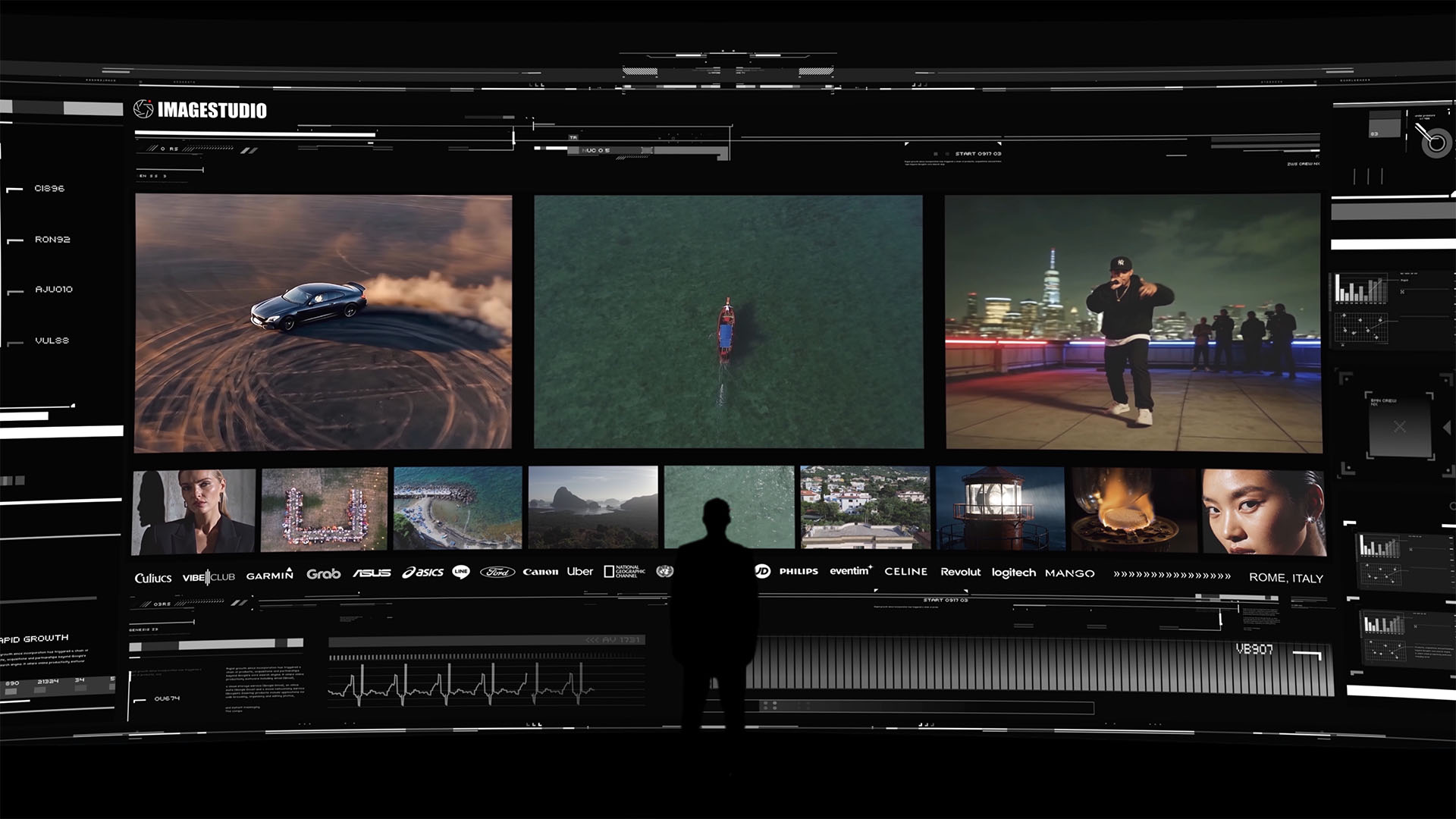
Imagestudio brings 14+ years of experience and 250+ completed projects to every brief, with a track record that includes collaborations with National Geographic and recognition from prestigious film festivals. That depth shows up in the work: cinematic color grading, precise sound design, and deliverables packages that include web-ready encodes, captions, and multi-format exports as standard.
The portfolio spans commercial brand films, social media content, music videos, and hospitality and real estate media. Projects have collectively accumulated over 150 million views, a signal that the work performs beyond the production suite.
A few highlights from the Imagestudio body of work:
Commercial brand films: Multi-platform campaigns delivered with 16:9 masters, vertical cuts, and SRT captions, ready for web embed and paid social simultaneously.
Hospitality and real estate media: Cinematic property films with drone footage and 8K capture options, used by luxury venues to drive direct bookings.
Music video production: Narrative-driven visuals with full post-production finishing, distributed across streaming platforms and embedded on artist websites.
Pro Tip:Ask any studio you’re considering to send you a sample deliverables folder from a past project. The file structure, naming conventions, and format variety tell you more about their professionalism than any showreel.
When is hiring a specialist studio worth it vs. going DIY?
The main decision factor is brand risk and production complexity, and most marketers underestimate both.
DIY tools and online platforms have gotten genuinely good for internal communications, social content, and low-stakes explainers. If the video lives on a team intranet or a low-traffic landing page, a well-shot smartphone clip with decent lighting and a clean edit can do the job. There’s no shame in that call.
But when the video is the first thing a prospect sees on your homepage, or when it’s anchoring a paid campaign with real media spend behind it, the production quality becomes part of the brand promise. A hero video that looks like it was shot on a phone tells visitors something about how seriously you take your own product. High-distribution campaigns, premium brand positioning, and anything involving complex VFX, licensed music, or multi-format delivery all warrant a specialist studio. The cost of reshooting a video that missed the mark is almost always higher than the cost of getting it right the first time.
The digital strategy lens on brand positioning is useful here: the video you put on your website is a brand asset, not a content piece. Treat it accordingly.
Imagestudio is ready to produce your next web video
Imagestudio covers the full range of web video production needs: cinematic brand films, social media video for web embeds, AI-assisted content creation for faster turnarounds, and music video production. Every project includes web-ready encodes, captions, and multi-format deliverables as standard, backed by 14+ years of production experience and a team that has worked with global brands and award-winning directors.
To get a quote, send a one-paragraph brief covering your objective, target audience, and launch date, along with your brand kit and three reference links. The team at Imagestudio will respond with a scoped proposal. Start the conversation at Imagestudio’s film production page or explore AI-assisted production options for faster, leaner content programs.
Useful sources for inspiration and vendor research
Dribbble — Search “video production agency” for UI patterns, portfolio layouts, and motion design inspiration for your own site or brief.
Pinterest — Build a mood board with 15–20 pins to align stakeholders on visual direction before briefing a studio.
Webflow Made in Webflow gallery — Browse live, cloneable video production sites for CMS-driven portfolio patterns and scroll-triggered embed examples.